Understand reading activity
Reading activity brings together this profile's recent reading.
See recorded reading time, reading sessions and stories opened.
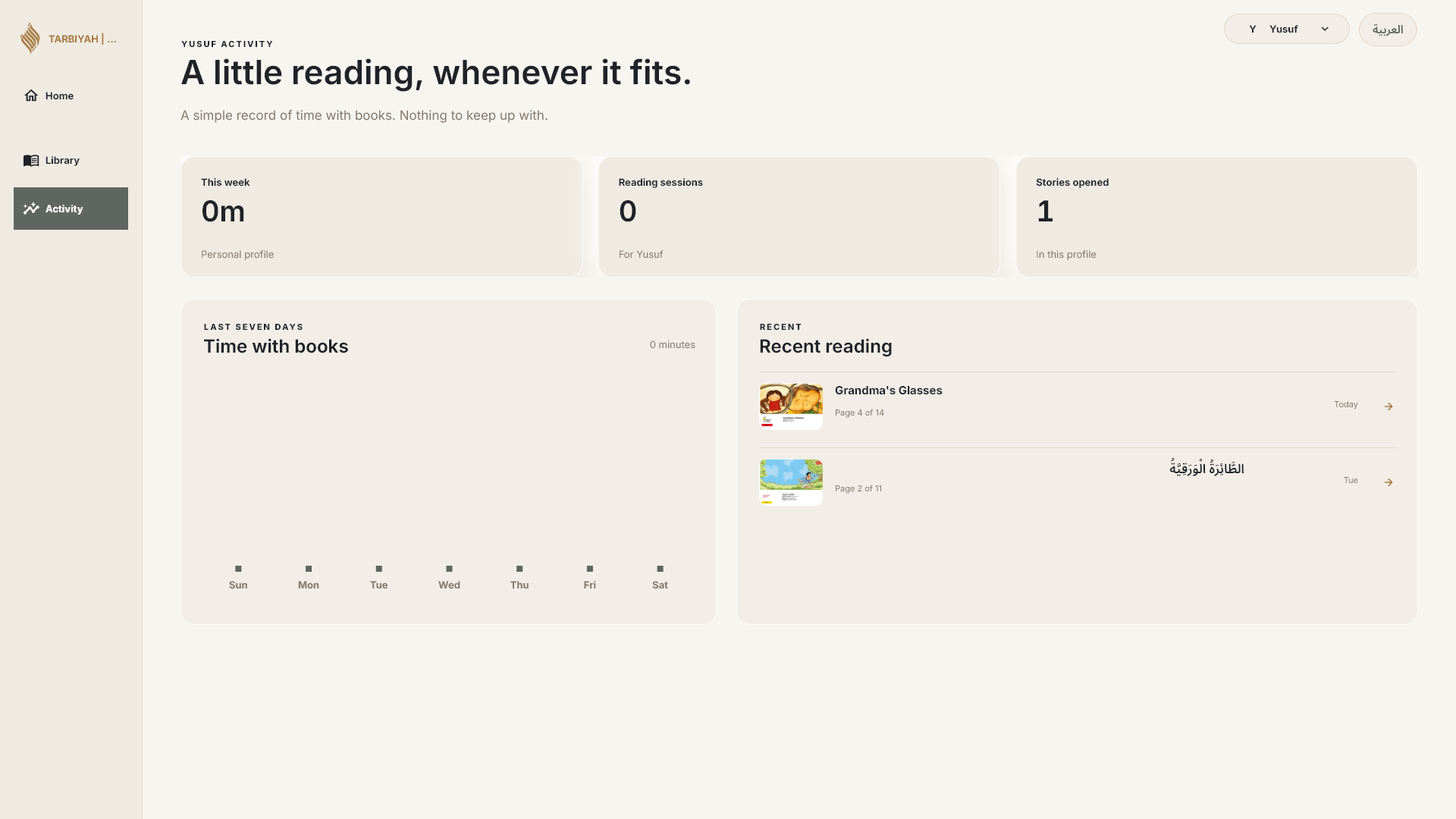
From the library, choose View reading activity. Check the selected profile before reading the summary.
This example shows 0m, 0 reading sessions and 1 story opened after a short visit. Rounded zero minutes does not mean that no book was opened.
Stories opened is not a count of books finished.
Find your recent reading
Recent books show where this profile last read.
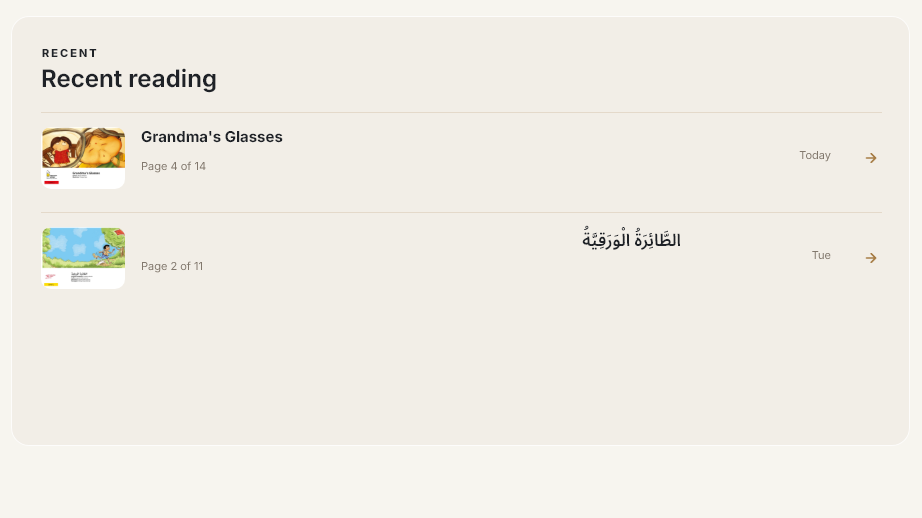
These reading records belong to the selected profile. They are separate from Quran task-completion reports in Review.
Continue reading in the library returns to the most recently read book for the selected profile. Check the title before continuing.
To return to a particular book, choose that book and use its own Continue control.
Choose who and where
Choose who is reading. Each reading profile keeps its own place in each book.
Home is the shared reading profile here; it is not the Home screen.
If Books asks “Continue where you left off?”, choose Continue as the named person to use that reading profile, or Read as Home to use the shared profile.
If a starting-place choice appears, This device and Your phone show different saved places. Choose where you want to continue.
These choices are conditional. They do not appear every time Books opens. The tutorial examples use the place saved on this device.
Book credits and sources
Grandma’s Glasses — written by Rohini Nilekani and illustrated by Tanaya Vyas. © Pratham Books, 2015. Published through StoryWeaver; source edition supplied by the Free Kids Books mirror. Story and illustrations: CC BY 4.0.
The digital edition was supported by HDFC Asset Management Company Limited, a joint venture with Standard Life Investments. Rohini Nilekani previously wrote under the name Noni. The source PDF retains the complete illustration attributions and mirror identification page.
The Arabic book shown in recent reading is a translation of The Kite. Written and illustrated by Jeyanthi Manokaran; © Pratham Books, 2016. Arabic translation by Mohammed Ahmed; © Education Above All (EAA), 2021. Story and translation: CC BY 4.0. Source: StoryWeaver.
Images in this guide are screenshots of Tarbiyah Books. Some screenshots are cropped to focus on controls or records; the book words and illustrations have not been redrawn or rewritten. Names used for reading profiles are illustrative.
Grandma’s Glasses - source edition
Grandma’s Glasses - source PDF and full credits
StoryWeaver attribution guidance