Tarbiyah Home tutorials
Start with Getting started, or choose an app.
Quran & Mushaf
Start with the Quran main screen, then learn reading, listening and reading plans.
12 lessons · In order belowStart the first lesson
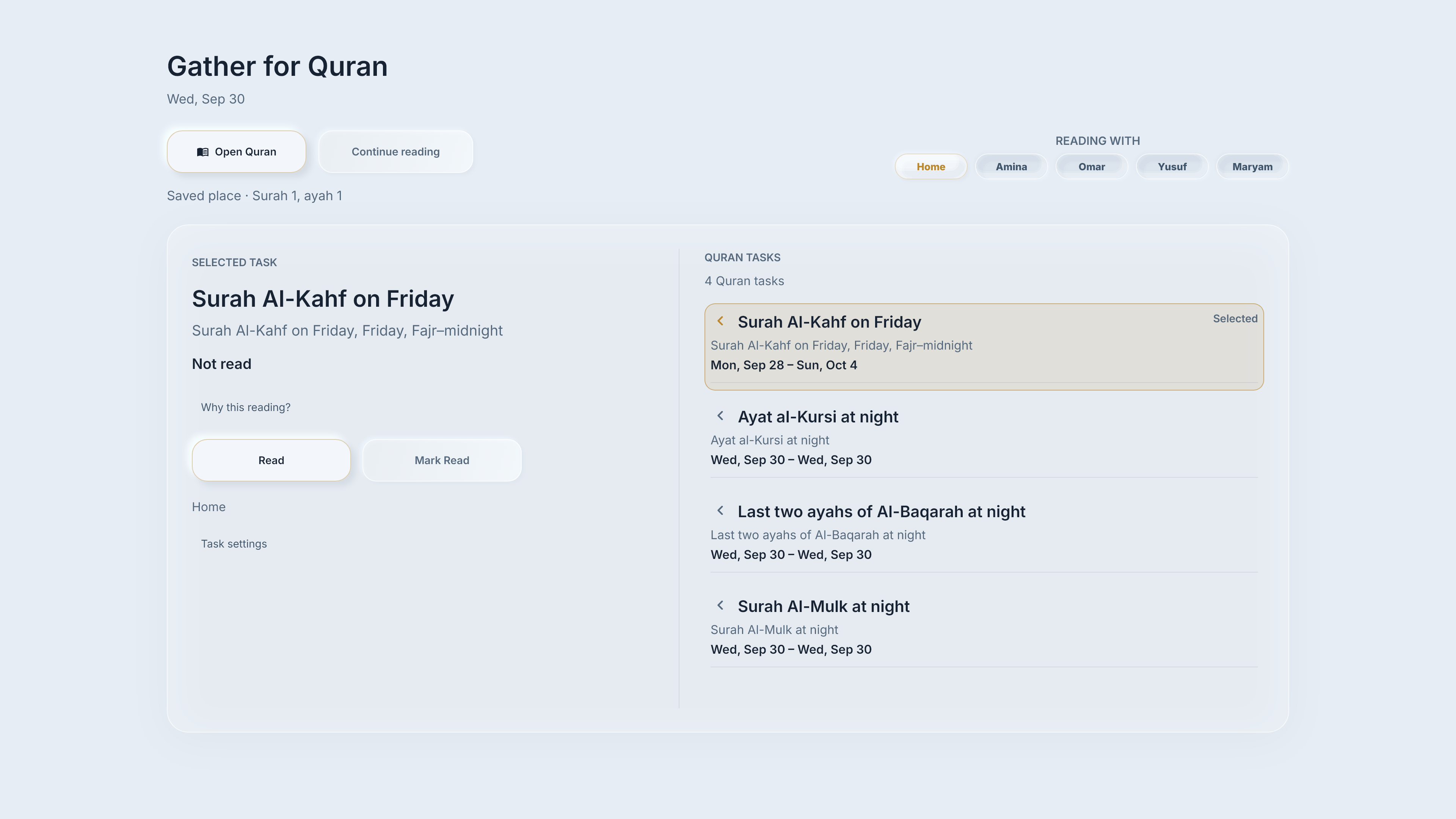
- 01Your Quran reading starts hereChoose who is reading, open the Mushaf and return to the Quran main screen.
- 02Continue your own reading placeReturn to the saved reading place for the household profile you choose.
- 03Find a surah or pageChoose the navigation method for the passage you want.
- 04Read a verse’s meaningRead a verse’s meaning alongside its Quran reference.
- 05Listen to a passagePlay a passage, pause or resume listening, then stop.
- 06Browse, then return to recitationBrowse elsewhere, then return to the actual recitation.
- 07Mark a page or line, then find it againCreate a bookmark, return to its marked page and identify the line tab, then remove it when no longer needed.
- 08Choose a comfortable reading viewChoose a reading layout and find Mushaf controls.
- 09Understand your reading plan and progressUnderstand reading goals and what their progress labels mean.
- 10Make a reading planCreate a Quran reading goal and check its schedule.
- 11Change a plan, cancel an edit, or pause a planChange a reading plan, discard an unsaved edit, or pause and resume a saved plan.
- 12Read a task, then report or correct itConnect planned reading, the Mushaf, a deliberate report and correction.
Need help with something else?
Tell us what you were trying to do.